Showing posts with label Productivity. Show all posts

Tuesday, May 13, 2008

Freaking Busy - but loving it!

Having started a new job marketing the big bad world of internet marketing solutions with AT&T, three weeks of training in Atlanta, one week in New Orleans, and back in Nashville... I'm settling into a new routine. The old days of going to bed by 2 am and waking up at 7 are gone.

Having a birthday, new routines, the elation of a new corporate job with the perks, great people at work, wearing a suit and tie, and loving what I’m destined to do is a real blessing indeed.

In due time, I’ll settle back into blogging, taking photographs, building LEGO stuff, writing reviews for GearDiary and much more once I get a groove going…. Doing a lot of Twitter these days, only because 140 characters is within my current brain capacity output.

I’m cherishing my weekends with my bride, cutting grass, doing the honey do lists, and fitting in an occasional carpentry and handyman fixes. Strange to say, but replacing a bathroom faucet and hanging new window blinds are good diversions from being so intwined with technology. Power tools rock!

More later…

Monday, August 06, 2007

The Items We Carry

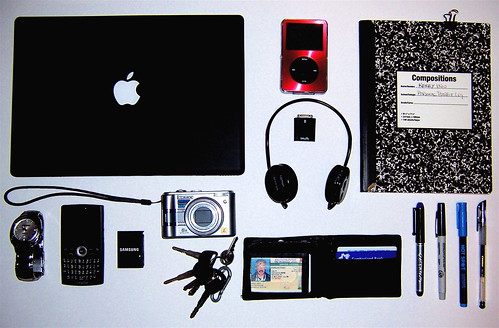
There's a new Flickr group that will appeal to most wired readers - The Items We Carry. Check out the 500 plus photos and see how we've become beasts of burden to stay wired to the items we carry on a daily basis.

Items we carry

If the above photo is my daily minimum, between my SwissGear bag (for work) or the Microsoft Diplomat Rolling Laptop Case (for travel), not shown are power cords, battery packs and other "stuff" stashed away too numerous to mention!

Gear clothing like the SCOTTeVEST Ultimate Hoodie Microfleece gives guys like me more pockets to carry more gadgets. One day, I'll go retro with a notepad and pencil!

Post your photo on the Flickr group: The Items We Carry and if you wish, leave me a link in the comments so I can see what you're packing...

Monday, July 23, 2007

Work is FUN with a MacBook

You know what I'm talking about - Runs Windows too using Parallels...


or like my friend Michael says - "MacEye for the PC Guy"

Thursday, May 17, 2007

A reason to celebrate today!

Pack Rat Day
When: Always on May 17th

Do's and Don't's:

Don't clean your room, basement, garage or any other area today.
Don't discard anything today...It may be valuable.
Don't even empty the trash today. You might have accidentally thrown out something useful.
Do keep an eye out for useful stuff being discarded by others.
Do go to garage and rummage sales. They can be pack rat goldmines.
Do look around your belongings and be thankful for what you have.
Do spend time thinking of uses for your things. Justification for saving is satisfying.


Big hat tip to SunyDazy!

Saturday, November 11, 2006

Too much stuff, so little time

When I saw this doormat over at 43 Folders, I just had to laugh at myself. For the longest time, I was very capable and always exceeded one's puzzlement for misplacing items. Actually not so much misplacing items, but rather having them scattered throughout the house.


life-hacky-door-mat

My keys, wallet, eyeglasses, checkbook, cash, credit card, cell phone would be in different locations. How could this be possible? I walk in from the grocery store, the keys are in the kitchen door, groceries are put away, I go to the bathroom to wash my hands and face, leaving the glasses on the counter, toss my wallet on the bedroom dresser, change pants with my debit card still in the pocket from not putting it back in the wallet at the store and then later, wondering were my cell phone is... which I left in the passenger seat of the car for easy access.

I didn't really think I was scatterbrained; a bit disorganized... MAYBE... or I always justified that creative people tend to scatter stuff around like leaving bread crumbs on a trail. OK, I just defined scatterbrained. Groan.

Yet, I can organize albums, CDs, computer files with ease. Google Desktop Search and Lookout, a utility for Outlook on the PC are awesome tools for computers. Getting Things Done has done wonders for my productivity.

Of course, leaving the house was always a challenge. The game of "Now where did I last leave my phone (or name a vital item)?" I could always call my cellphone from my landline. Note that landlines are good for recieving not only telemarketing calls at dinnertime, but useful for ringing one's missing cellphone. Only if the ringer is on. And if the phone is in the house.

So I tried for awhile leaving all my stuff on the corner of the dining room table, but it took up way too much space as I accumulated more tech stuff. Over the years, I used wicker baskets, but they kept getting bigger and bigger with no desk space to set the basket upon.

I remember back around 1999, I accompanied my pastor, mentor, spiritual father Don Finto to a speaking engagement at a local Promise Keepers event in Louisiana. We were at the Nashville airport bright and early at 6:00 am, feeling exuberated about the upcoming evening having just got our morning exercise from rolling our luggage from the short term parking lot. When it was time to board our Southwest flight, the attendant needed to see my id. I reached around to my back pocket... "O crap," I said, patting myself down. Yup, my wallet was on the dining room table.

Since I was wearing my Promise Keepers jacket and polo shirt, and the fact that my pastor was with me and everybody had a big laugh, I managed to get on board. Here I am, trying to be the good host, having to borrow twenty bucks... Crazy stuff. Long story with a good ending.

So these days, I'm much more organized - Thanks to The-Gadgeteer for the Maxpedition Thermite Versipack Gear Bag that I reviewed on their site. Leave it to women to organize men's lives!

At home, I keep all my stuff on a designated shelf with total piece of mind. Kevin McCormick is still looking for HIS wallet

Thursday, March 09, 2006

Getting Things Done / Palm Users Group Meet Up


Everyone talks about how fast-paced life is today and how it seems like there's never enough time. Ever wonder why that is? Well, the answer is simple - we're being asked to do more than ever before. Our responsibilities today are broader and more far-reaching than ever and the result is an ever-expanding task list that is bursting at the seams. Luckily for us, there appears to be a better way!

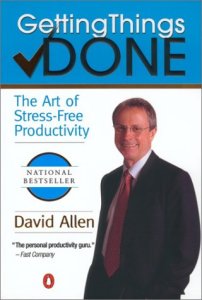
The book "Getting Things Done: The Art Of Stress Free Productivity", by David Allen provides a method in which you can take control of your responsibilities and reduce your stress along the way. By focusing on working on the right task at the right time, not only will you get more done in a given day, you can lead a happier and more carefree life.

This Saturday, March 11, we'll walk you through the basic concepts behind the book, "Getting Things Done" and then show you how to apply those principles to your Palm OS device. In most cases, all you need is the built-in software, but we'll also take a look at some of the more popular 3rd Party applications out there and how to use them the GTD way.

Nashville Palm Users Group meeting is Saturday, March 11th at 10:00am.

Edmondson Pike Branch Library, which is located at 5501 Edmondson Pike, Nashville, TN 37211

Click here for more details and check out the prizes to be given away.

Thursday, January 26, 2006

Usable Home

Gina Trapani, editor of LifeHacker, writes a column Geek To Live. She offers eights gems to making your home usable while Getting Things Done...

She writes: As a computer programmer in a new apartment, I've taken the same approach to setting up my home as I would developing a software application: with a focus on usability. Like any good software package, my home should be a tool that helps me get things done, a space that's a pleasure to be in and a launch pad for daily tasks as well as my life goals.

Whether the task at hand is to relax after work, phone a family member, or keep track of a dry cleaning receipt, there are lots of simple ways to create a living space that makes getting things done a breeze.

I'm no home organization expert, but here are a few tips I've gleaned over time that can help make your house a Usable Home.

Here's a gem from Gina:

Stow away stuff you don't use; put stuff you do within easy reach

Surround yourself with the things you use and either get rid of the things you don't, or stow 'em away. For instance, if you've ripped all your CDs to MP3 and only listen to them in that format, then why line your living room walls with CDs that never get touched? Box up your CD's and put 'em up on a high shelf in the closet and make room for the things in the living room that you do use often. Or, simply enjoy the extra space. In the kitchen, if you rarely make waffles but you're on a grilled cheese kick, put the waffle-maker on the top shelf and leave the Foreman grill at eye level for easy grabbing.

Seven more gems...

Tuesday, January 10, 2006

Ten Commandments


Goals Guy has a List of Ten... goal setting things to implement for the new year.. Ten Things Every Kid Should Know; Ten Reasons to Use a Journal and much more - even if you're a knucklehead!

Ten Commandments for Goal Setting:

1) Thou Shall Be Decisive
Success is a choice. You must decide what you want, why you want it, and how you plan to achieve it. No one else can, will, or should do that for you.

2. Thou Shall Stay Focused
A close relative to being decisive, but your ability to sustain your focus from beginning to end determines the timing and condition of your outcomes.

Well worth the visit to jump start the new year... since today is the 10th of January, here's a way to refire up those goals that dissapated on this past weekend!

PBS chimes in:

Successful people know the importance of having goals. Without goals, and a plan detailing how they will be accomplished, you'll end up drifting through life without realizing many of your dreams. It's important, too, when setting goals, to set ones that are realistic and attainable. Think carefully about what you are trying to accomplish, then brainstorm for creative ways to get the job done. Walt Disney once said, "If you can dream it, you can do it." He had many dreams, and never let obstacles stand in his way. Despite being told once that he lacked creativity, he went on to design Disneyland and Disneyworld, two major attractions that millions of people visit each year.

Wednesday, December 21, 2005

For 2006, I resolve to be more productive and... Wacky!


Discover hundreds of little-known uses for well-known products... at Wacky Uses

Joey Green, "a modern-day (and male) Heloise" has got you covered with wacky uses and solutions:

Remove scuffs on shoes. Apply Colgate toothpaste with a tissue, rub, and wipe off.

Soothe canker sores. Eat two servings of Dannon Yogurt a day until the sores clear.

Clean soap scum from shower doors. Mix one capful of Downy Fabric Softener with a quart of warm water in a plastic bucket, and use a clean cloth to wipe the shower doors clean.

Style your hair. A teaspoon of Jell-O dissolved in a cup of warm water makes an inexpensive setting lotion. Or use prepared Jell-O as you would any hair gel product.

Store valuables. Make a two-inch slit along one seam of a Wilson Tennis Ball, then place valuables inside. If you hide the doctored tennis ball among your other sports equipment, remember not to use it.

and my favorite:
Make Wine Jell-O. The Joy of Cooking suggests boiling one cup water, mixing with gelatin powder in a bowl until dissolved, then adding one cup red wine. Stir well, then refrigerate for four hours or until mixture gels. Serves four.

Wednesday, September 21, 2005

How to Study...


William J. Rapaport, Associate Professor at the University of Buffalo writes a Guide on How to Study. Whether you're in academics or just a knowledge sponge like me, this excellent guide will serve you well.

Sure it's hard work - education requires an investment of time - who wants to be an IGMO? I grabbed hold of some wisdom from an old friend, Larry Burkett who told me that I could be an expert in any subject if I devoted 1 hour a day for three years on any subject. The byproduct of that wise advice is redeeming the time such as curtailing TV time, carrying a Palm PDA or HipsterPDA to collect thoughts or read a ebook / book while waiting... which frees up study time. Of course being noctunal living on 4 hours sleep and implementing David Allen's Getting Things Done all helps...

The good professor covers learning styles, managing your time, taking good notes, speedwriting and provides a wealth of resources and relevant comic strips to humor us along the way -

Study onward -

Friday, June 10, 2005

9 Things I Simply Must Do and 25 Things ...


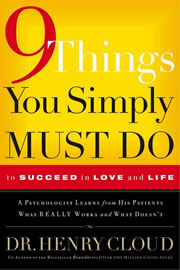
If we sincerely want to "get life right" and quit repeating the same mistakes over and over again, 9 Things You Simply Must Do provides the practical guidance we need to live life to its fullest - every moment. Posted by Hello

A friend mentioned this book to me as a possible read and while looking for it on the web, I ran across this post...

(Isn't the internet wonderful? Technology knows the practical side of what I am searching for while providing a balance for what I'm no longer required to do!)

"Twenty-five Things I'm Glad I Am No Longer Required To Do"

    • Show you the money
    • Wake up and smell the coffee
    • Want a piece of you
    • Sit on it
    • Keep it real
    • Wang Chung tonight
    • Get all up in your grill
    • Think outside the box
    • Be there (and/or be square)
    • Talk to the hand
    • Take it up a notch
    • Kiss your grits
    • Get jiggy with it
    • Catch you on the flipside
    • Open up a can of whoop-ass
    • Gag you with a spoon
    • Keep on truckin'
    • Get with the program
    • Eat your shorts
    • Take it easy
    • Give mad props
    • Bring it on
    • Touch base
    • Quiero Taco Bell
    • Not go there

Life just got easier... Courtesy of: link

Tuesday, June 07, 2005

How to Lose Friends and Alienate People With Email


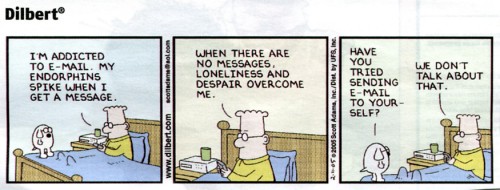
Dilbert on eMail Posted by Hello

Somehow I don't recall ever taking a course on email etiquette in school or even in a new hire orientation... But Bert Webb over at Open Loops does civilized humanity all a great favor with a two part required life hacker course called “How to Lose Friends and Alienate People With Email”. Click the links below if you desire a lifestyle of electronic deletion from your friends with a double bonus of having your work buddies shun you. If you're feeling repentant and you really want to know how to do email right, then read on. Oh by the way, please stop sending me jokes...

How to Lose Friends and Alienate People With Email - Pt. 1:

Bert states the obvious: "Email can be the source of aggravation in the receivers. By following these rules, you can make them mad enough to choke you..."

Open Loops: How to Lose Friends and Alienate People With Email - Pt. 2:

Says Bert: "Sending email to aggravate someone is easy. There are so many tactics at one's disposal. Initiative is even on the side of the sender. But, if there is a person who has gotten your thong in a knot and they seem to be begging for a good pimp-slapping, there are some things that you can do when you're on the receiving end of the email. The amount is not as copious as for the sender, but they can be just as effective."


by Clay Butler - http://www.claytowne.com Posted by Hello

Sunday, May 22, 2005

What to Do at Meetings instead of Meeting

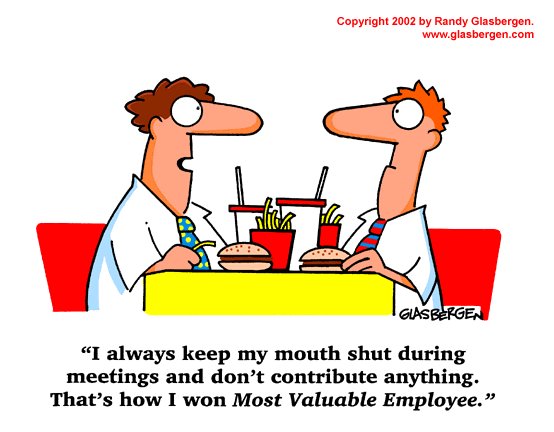
Brian Hampton is the associate publisher of a trade book imprint at Thomas Nelson Publishers. I just ran across his company encouraged blog and he writes a cut-to-the-chase posting on the new rules of What to Do at Meetings instead of Meeting. He writes: "I’ve put together the following list of best practices for making the people with whom you are meeting feel unimportant and making yourself look completely unprofessional."

(my biggest gripe!) Use your BlackBerry (or laptop, if necessary) to check your e-mail. When you’re finished, ask two or three questions about issues the rest of the group has already discussed. Remember, you are an important person, and they can recap the entire meeting for you if necessary.

Obviously, the list of things you can do instead of paying attention is endless. Use the tips I've shared to get started. Eventually, though, you'll just know instinctively what to do at meetings instead of meeting.

Click here to read the other five rules.

I am assuming that Brian must be a no nonsense guy to work for; at least his meetings are efficent! Thanks Brian for an excellent post.


(c) Randy Glasbergen Posted by Hello

Trick Out your desktop


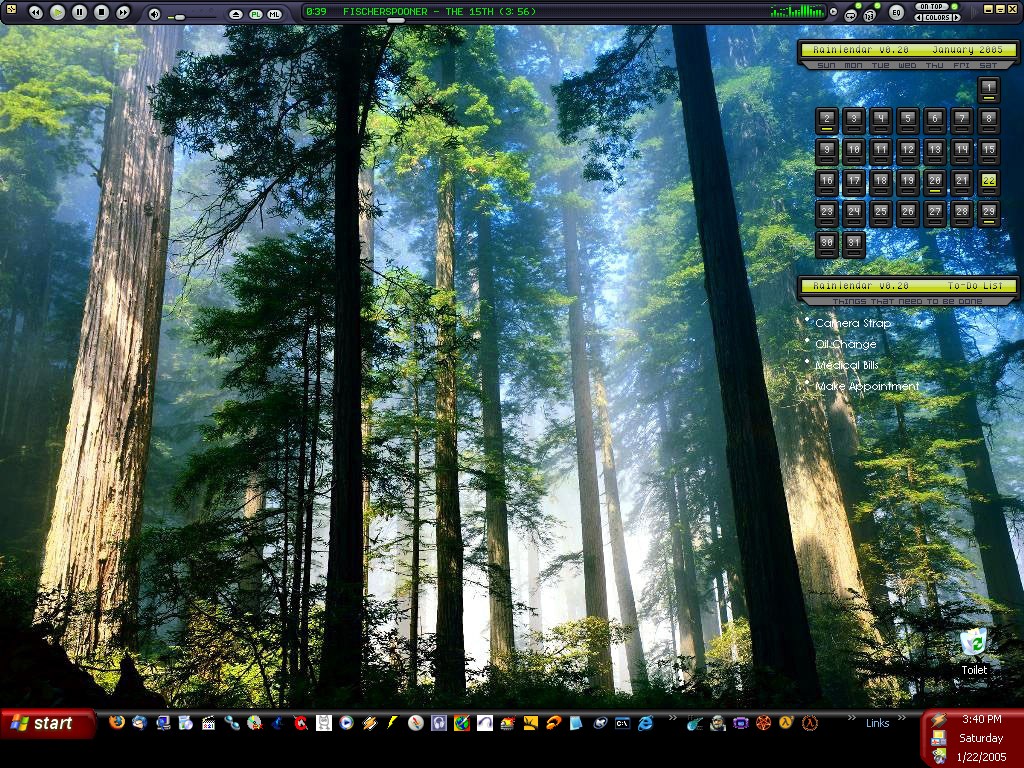
"Nice"  Posted by Hello

DesktopRating is all about users submitting their hot desktop screenshots and getting rated by other users. Some really good stuff; however, there are a couple of "dress up my desktop with babes" screen shots - for the most part they are tasteful with no nudity.

I like this one also:

Desktop Theme #2 Posted by Hello

Tuesday, April 26, 2005

Need Help Getting Things Done?


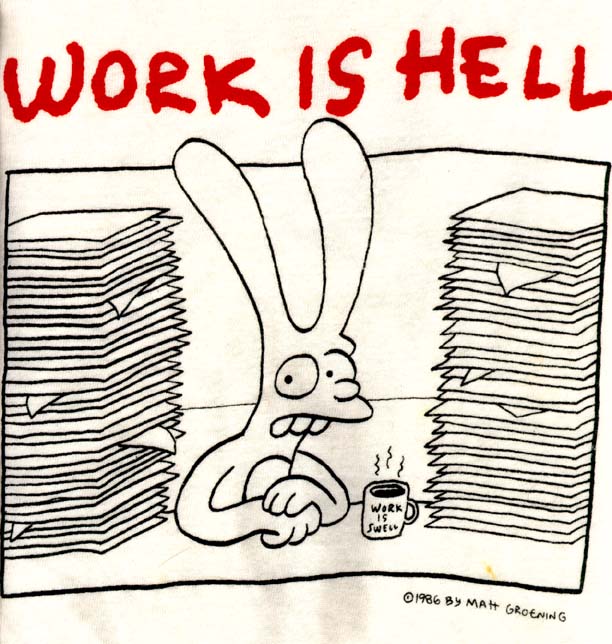
Work Is Hell (c) 1996 Matt Groening Posted by Hello

If you're feeling like Binky the cover model (who is a bitter, depressed, alienated and thus "normal" rabbit) for Matt Groening's book Work Is Hell, then it could be that you really need to adopt the practice of Getting Things Done.
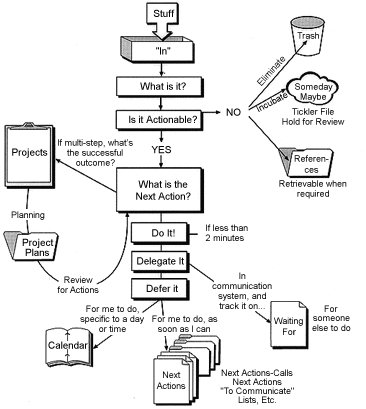
Jeff Sandquist, a blogger and Microsoft Evangelist, has provided a nice tidy posting with all the resources in one place - It's never too late to rekindle that 2005 New's Year's resolution - or you could get a head start for 2006 now! Here's a treasure map to unstress your life...


GTD Workflow Posted by Hello

Sunday, April 10, 2005

Getting Things Done & eBooks from eReader.com


The Latin Quarter, Paris, France Photographer: Ian Britton Posted by Hello

"Books are the quietest and most constant friends; they are the most accessible and wisest of counselors, and the most patient of teachers."
Charles W. Eliot

I love reading eBooks on my Palm PDA (really a Tapwave Zodiac 2) and on my Dell laptop. As a lover of reading, research and quote collecting, I find that eBooks are a preferred platform of information, especially reading on the go. I enjoy redeeming my time while standing in line, waiting in airports or worse, sitting for long stretches in a doctor's office. For guys, eBooks are a lifesaver when your beautiful spouse takes off shopping in a mall – one will usually find my carcass parked on a bench reading Ann Coulter, John Ortberg or a leadership title on my Zodiac.

Since my nightstand and coffee table is normally cluttered with 7 to 12 physical books that I read somewhat simultaneously, the eBook format plays right into that methodology of scattered reading. I like to think of it as reading 7 to 12 really big magazines, as I can usually cover a Time magazine front to back in one sitting.

One can pack a lot of titles on a Palm, especially a Zodiac with 128 memory. Being a research guy, I really like the unlimited bookmarking, auto scrolling, font and color control and hyper linking indexes plus the ability to have several eBooks open (on the laptop).

My ministry at newhope church is doing sermon research for Pastor Benji, so I have the laptop humming with several resources opened, including the NIV Bible on eBook and a legal pad just writing away! Having eBooks, PDFs, Word documents and web access in a central work station makes sermon preparation and research a real joy; and it frees my Pastor to ... pastor!

I highly recommend eReader Pro for Windows - Palm Reader Pro is an award winning application used to read Palm Digital Media eBooks on your Windows computer. Palm Reader Pro has more features than the free version, including the ability to read dictionaries and it is a bargain at $9.95 USD. There is also a Mac version as well. There is no charge to download and use the basic Reader. Click here to download your eReader of choice

Before I forget, disclaimer goes here – I work for Motricity, the corporate parent of eReader.com and PalmGear. Hey, I'm just a silly enthusiast for eBooks and as well, a passionate Palm Powered Geek.

I mainly read on the laptop. Being 50, I can’t afford to have my eyes fried, reading in the dark with a backlit PDA – besides I plan to do some serious carpentry into my old age and in heaven ala my two favorite Jewish Master Carpenters - Norm Abrams and Jesus of Nazareth.

For many of the blogging community who are heads over heels like I am for Getting Things Done by David Allen, not only is it finally available in eBook format, but Ready for Anything has just been released. You can read excerpts of both books at eReader.com. Also, by subscribing to the newsletters, discounts are available as well on your order.

My fellow bloggers are focused on these two books – Ricky Spears moderates GTD Yahoo forums and has written extensively on Ready for Anything.

43 Folders offers a good jump into the GTD waters - getting started with "Getting Things Done" section with many links.

Last, Michael Hyatt is very into GTD as well with a Working Smart, Not Hard angle.

Have fun, enjoy life, make it a mission to learn something new everyday via relationships, pray always and read some (e)Books!

In closing, here's a good piece of wisdom from Paxton Hood:
Be as careful of the books you read, as of the company you keep, for your habits and character will be as much influenced by the former as the latter.